1
Create your account
Enter your email and your company name. We email you a link to set your password.
Your staff open the job on their phone, find the place on the map, fix the issue and send a photo with the time. You see who is on site, keep your machines serviced and pay from the approved hours.
No card needed. No app to install. Works in the phone browser.
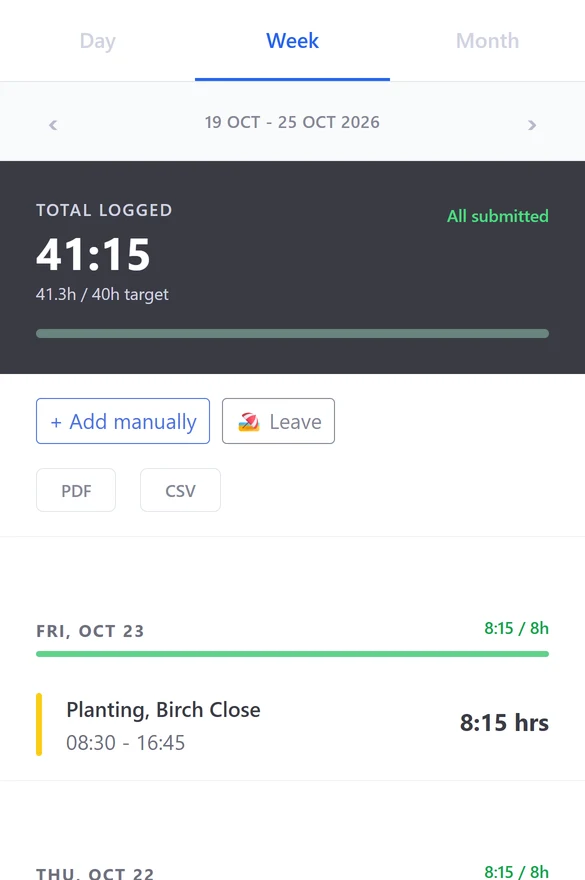
No call, no installation. You can try it with your own team.
Enter your email and your company name. We email you a link to set your password.
Add your staff and set daily hours, leave days and pay rates for normal days, weekends and public holidays.
Staff register time and tasks on their phone. You approve the hours and download the payroll PDF.
Every task has a place on a map, so staff find the site fast. You see on a live map who is clocked in and where they started. You approve the hours before anything goes to payroll.
Staff fix the issue and add photos and notes to the task, with the time. Tasks with the same order reference go to the customer together as PDF reports.
Hours turn into a payroll report with your rates for normal days, Saturdays, Sundays and public holidays. One PDF per employee, or one for everyone.
Every task can have a place, so staff find the site fast and report from the right spot.
See who is clocked in now and where they started. A day route per person from start and end.
Machines, vehicles and tools with a service interval and reminders before the date.
Start and end per task or site, with admin approval and teams.
Assign tasks, collect photos and notes, report to the customer.
Staff request, you approve or reject, the yearly allowance is counted for you.
Plan shifts per person and site. Staff accept or decline.
Rates per day type and a public holiday calendar.
Shift messages through your own WhatsApp Business account. Optional.
Office teams who work at a desk, and freelancers who bill clients by the hour with a stopwatch. A timer tool such as Jibble or Clockify suits you better.
Pay for the people who are active, not for every login you ever made. Try it first with up to 3 people, no card needed.
No card, no time limit
per month, plus €5 per active person
per month for 10 active people
Excl. VAT. Every plan has all features.
More than 100 people? Write to us.
An email address and your company name. We email you a link to set your password.
No. NextOrca runs in the phone browser.
No. It is a setting per company. When it is on, each registration keeps where it started and ended, and you see on a map who is clocked in now. NextOrca does not follow people between the start and the end.
Yes. Add machines, vehicles and tools, set a service interval in months and reminder days, and NextOrca reminds you before the date. When you mark it done, the next date moves forward.
Yes. The payroll report is a PDF per employee or for everyone, with your rates for normal days, Saturdays, Sundays and public holidays.
Shift messages can go out through WhatsApp when your company has a WhatsApp Business account connected. It is optional.
Photos are made small on the phone before they are sent, so they take little space and pages stay fast.
Free for up to 3 people, with every feature. Beyond that: €29 per month for the team plus €5 per active person, excl. VAT. An active person is someone who logged in, registered time or worked on a task in the last 30 days. For example 10 people €79, 30 people €179, 100 people €529. For larger teams, write to us.
Create your account, add your staff and register the first hours today.
Create your accountNo card needed. No app to install. Works in the phone browser.