1
Create your account
Enter your email and your company name. We email you a link to set your password.
Your team registers time and tasks on their phone. You get approved hours, customer reports with photos and a payroll PDF.
No card needed. No app to install. Works in the phone browser.
No call, no installation. You can try it with your own team.
Enter your email and your company name. We email you a link to set your password.
Add your staff and set daily hours, leave days and pay rates for normal days, weekends and public holidays.
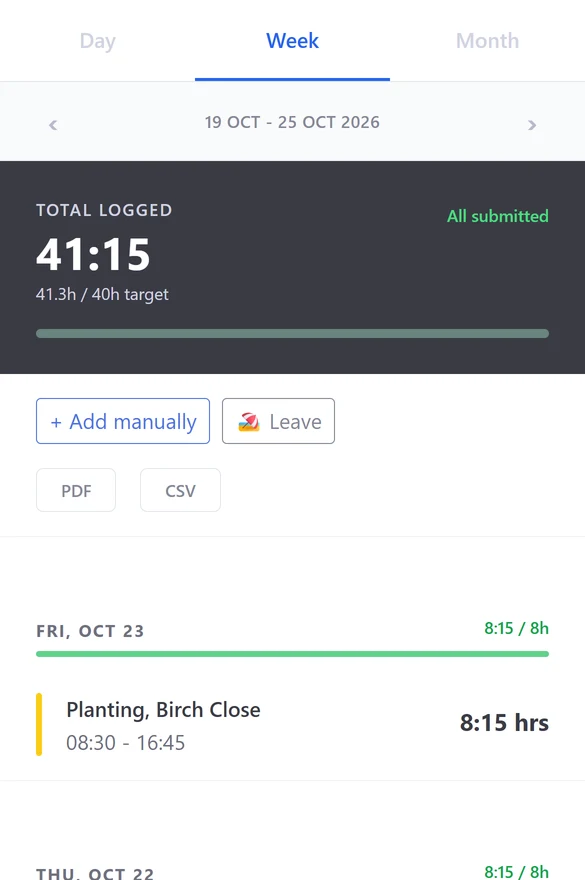
Staff register time and tasks on their phone. You approve the hours and download the payroll PDF.
Every registration has a start and an end. You review and approve before anything goes to payroll. If you want it, each registration also keeps where it started and ended.
Staff add photos and notes to a task. Tasks with the same order reference go to the customer together as PDF reports.
Hours turn into a payroll report with your rates for normal days, Saturdays, Sundays and public holidays. One PDF per employee, or one for everyone.
Start and end per task or site, with admin approval and teams.
Assign tasks, collect photos and notes, report to the customer.
Staff request, you approve or reject, the yearly allowance is counted for you.
Plan shifts per person and site. Staff accept or decline.
Rates per day type and a public holiday calendar.
Shift messages through your own WhatsApp Business account. Optional.
Freelancers who bill many clients by the hour and want a stopwatch. A simple timer tool suits you better.
One flat price per team, not per user. Try it first with your own team, no card needed.
No card, no time limit
per month
per month
Excl. VAT. Every plan has all features.
More than 100 people? Write to us.
An email address and your company name. We email you a link to set your password.
No. NextOrca runs in the phone browser.
No. It is a setting per company. When it is on, only the start and the end of each registration keep a location. There is no live tracking.
Yes. The payroll report is a PDF per employee or for everyone, with your rates for normal days, Saturdays, Sundays and public holidays.
Shift messages can go out through WhatsApp when your company has a WhatsApp Business account connected. It is optional.
Photos are made small on the phone before they are sent, so they take little space and pages stay fast.
Free for teams up to 10 people, with every feature. Up to 30 people: €29 per month, up to 100 people: €59 per month, excl. VAT. For larger teams, write to us.
Create your account, add your staff and register the first hours today.
Create your accountNo card needed. No app to install. Works in the phone browser.